POSSO
MENU MANAGEMENT

How Can I Sync My EPOS Menu With Kiosks and Digital Signage?

You can, but only if the till holds the one true copy of the menu and everything else reads from it. Here is how that works in Posso One across kiosks, signage, kitchen screens, your website, the delivery marketplaces and the AI phone line, and what to check before you buy any of it.

By Paul Robinson, Managing Director, Posso Ltd7 min read

Short answer

To sync an EPOS menu with kiosks and digital signage, run them from one system where the till is the master menu and every other screen reads from it over the cloud. In Posso One, a product, price, modifier or sold-out flag is edited once on the till and reflected on self-order kiosks, digital signage menu boards, kitchen display screens, your own online ordering website and app, Just Eat, Deliveroo and Uber Eats, and the AI phone ordering line. If your current setup needs the same change typed into more than one place, the systems are not synced, they are just switched on at the same time.

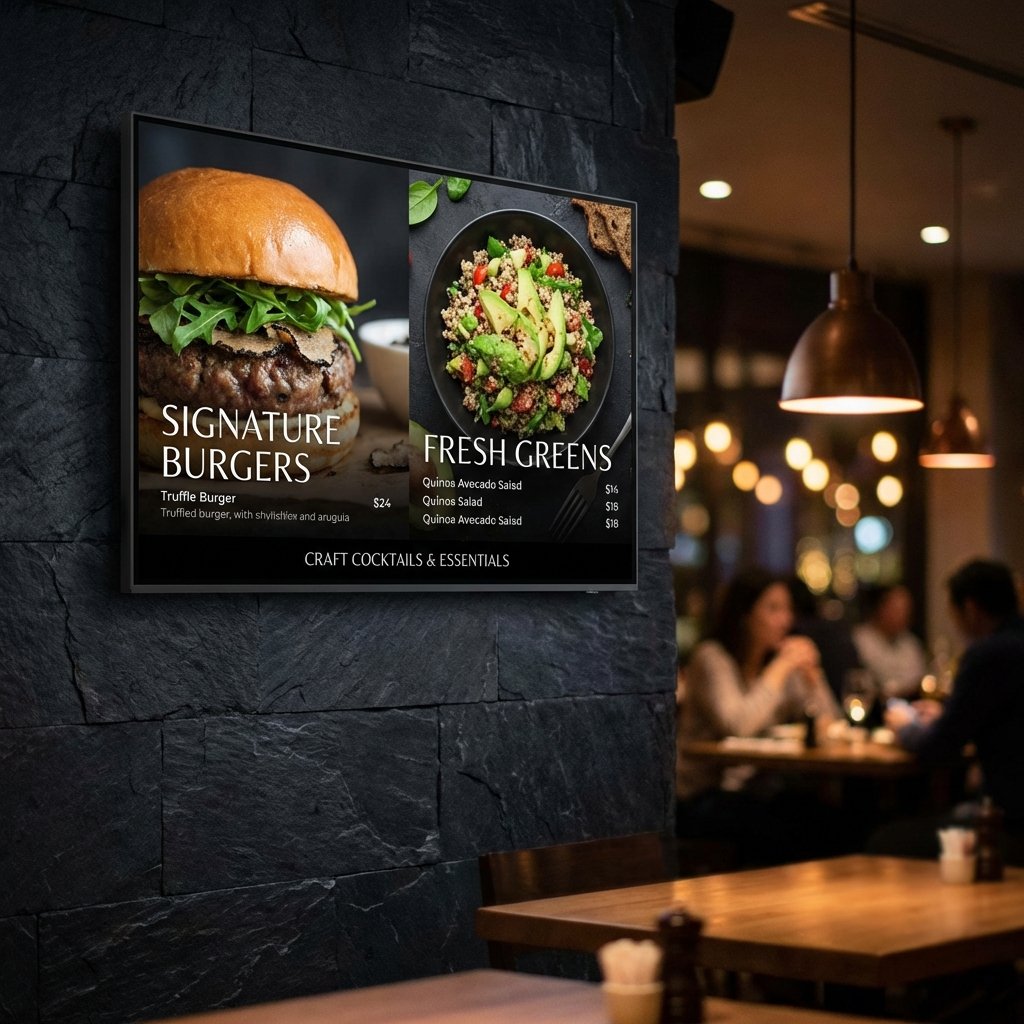
Digital signage menu board in a UK restaurant showing burgers and salads with prices synced from the Posso EPOS menu
A digital signage menu board managed from the same Posso One menu as the till and kiosks. Change a price once on the till and the board, kiosk and website all update.

Why do takeaway menus fall out of sync in the first place?

Because most takeaways build their technology one purchase at a time. The till came first. A kiosk was added when the queue got long. The signage came from a screen supplier. The website was built by a web designer. Just Eat, Deliveroo and Uber Eats each arrived with their own tablet and their own menu editor. Every one of those is a separate copy of the menu, and every price change has to be made in every copy.

The result is familiar to anyone who has run a counter on a Friday: the board says £8.50, the kiosk says £8.00, the website still lists a special you dropped in June, and a Deliveroo customer has just ordered the lamb that ran out at half seven. Staff spend the quiet hours re-typing menus and the busy hours apologising for them.

A menu sync fixes this by making one system the single source of truth and turning every other screen into a reader. That is the whole idea. Everything else in this article is detail about how well a given supplier does it.

How does menu sync work in Posso One?

Posso One is a single cloud platform. The till holds the master menu: products, categories, prices, images, modifiers, portion sizes, opening hours and delivery settings. When you edit any of those on the till or in the cloud dashboard, the change is pushed to every connected screen and channel.

In practice it works like this. You mark the chicken wings as sold out on the till. Within seconds the wings vanish from the self-order kiosk menu, drop off your online ordering website and app, are marked unavailable on the connected marketplaces, and the AI phone line stops offering them because it reads the same live menu. When a fresh delivery arrives you switch them back on once, and every channel sells them again.

Orders come back the other way through the same pipe. A kiosk order, a website order, a Just Eat order and a phone order all land on the same till and the same kitchen display, routed to the fryer, grill or cold station by menu category. Nobody re-keys anything, and the kitchen sees one queue rather than four.

How do self-order kiosks stay in sync with the till?

A Posso kiosk is not a separate product with its own menu. It is another screen on the same Posso One system, so it shows the same categories, the same modifiers and the same prices as the till, plus the images and upsell prompts you have set for kiosk use. Add a new meal deal on the till and it appears on the kiosk with no second edit. Sold-out items are removed rather than greyed out, so customers are never offered something they cannot have.

The one thing worth doing separately is the kiosk presentation. A photo sells a line that plain text does not, and the upsell prompt for the dip should fire at the moment the chicken is added. Those settings live in the same menu record, so they are configured once as well. Our post on launching a new menu item covers why the kiosk is the strongest channel for a new line.

Can digital signage menu boards pull prices from the EPOS?

Yes, if the signage is managed from the same place as the menu. The mistake to avoid is buying a screen that is really a media player: it loops a slideshow of images that somebody has to redesign every time a price moves. That is why so many menu boards still show last year's prices with a sticker over them.

Posso's digital signage is managed centrally alongside the till, so menu boards, promotional screens and order-status displays are updated from the office rather than with a ladder and a memory stick. For a multi-site operator that matters more: a price change across five shops is one job, not five visits. If you run a chain, the franchise page covers global menu sync across a whole estate.

How do Just Eat, Deliveroo and Uber Eats fit in?

The marketplaces are where sync usually breaks, because each one has its own menu editor and its own tablet. Posso's delivery integrations connect the three to the till so that orders arrive on the same screen as everything else, and menu items, prices and availability are kept aligned between the till and the platforms. Mark an item sold out once and it reflects across the connected channels without logging into each portal.

Two practical notes. First, keep the marketplace menu a deliberate subset if you want to: it is common to hold back a bundle or a loyalty reward for your own commission-free channel so that direct ordering is the better deal. Second, watch the pricing. Many operators price marketplace items higher to absorb commission, and a good sync lets you set that per channel rather than by hand.

What about phone orders?

The phone is the channel most takeaways forget when they think about menu sync, and it is the one where a stale menu costs the most goodwill. Posso's AI phone ordering is trained on the live Posso One menu, so prices, portions, modifiers and out-of-stock items stay current automatically. It takes the full order for collection or delivery, confirms the total and ready time, and sends it straight to the till and kitchen display. Caller ID matches returning customers to your records, so "same as last time?" works over the phone as well as at the counter.

How do you keep the kitchen in step?

Sync is not only about what customers see. The kitchen display reads the same menu, which is what lets it route items to the right station by category and show, across every open ticket, how many portions of chips are outstanding. When you add a new item to the till you decide which station cooks it at the same time. That is the difference between a new line slotting into service and a new line slowing every other order on a Saturday night.

What should I check before buying a synced menu system?

Six questions for any supplier, Posso included. Ask to see each one done live in the demo rather than described.

Is the till the single source of truth?

If the kiosk, the website and the signage each keep their own copy of the menu, you do not have sync, you have four menus and a to-do list. Ask which system is the master and whether the others can only read from it.

Do sold-out flags travel in real time?

Marking the chicken wings as 86 on the till at 7pm should pull them off the kiosk, the website, the marketplaces and the AI phone line within seconds. Ask to see it done in the demo.

Are modifiers shared, not rebuilt?

Half-and-half pizzas, spice levels, "no onions", extra sauce. If modifiers have to be recreated per channel, a new special becomes an afternoon of data entry.

Which marketplaces are integrated, and how?

Ask specifically whether Just Eat, Deliveroo and Uber Eats orders appear on the till automatically, or whether a person is the integration. Then ask whether menu changes push out the same way.

Can the signage show the menu, not just a slideshow?

Some "digital signage" is a media player looping images. A menu board needs to be updated centrally and quickly, ideally from the same place you manage prices.

What happens when the broadband drops?

The till and kitchen should carry on taking and cooking orders offline and re-sync when the connection returns. A cloud-only setup is a single point of failure on a Friday night.

For a broader comparison of what to look for, our guide to the best restaurant EPOS systems in the UK and the guide to replacing an old EPOS system both cover menu management in more depth.

One menu. Every screen. Every channel.

Posso One runs the till, kiosks, signage, kitchen screens, online ordering, the marketplaces and the AI phone line from a single menu. Software is £25 + VAT a month, setup is free, and we build your menu before you go live.

EPOS Menu Sync — Frequently Asked Questions

Can I sync my EPOS menu with self-order kiosks?

Yes, provided the kiosk and the till run on the same platform. Posso self-order kiosks read the Posso One menu directly, so products, prices, modifiers, images and sold-out flags are edited once on the till and appear on the kiosk automatically.

Can digital signage menu boards update from my till?

They can when the signage is managed centrally alongside the EPOS rather than as a standalone media player. Posso digital signage is managed from the cloud, so menu boards and promotional screens are changed from the office without touching each screen.

Do Just Eat, Deliveroo and Uber Eats menus sync with the POS?

With Posso delivery integrations, items, prices and availability are kept aligned between the Posso POS and the connected marketplaces, and orders from all three arrive on the till and kitchen display automatically instead of on separate tablets.

Does AI phone ordering use the same menu as the till?

Yes. Posso AI phone ordering is trained on the live Posso One menu, including prices, portions, modifiers and out-of-stock items, so it never offers a caller something the kitchen has run out of. Orders go straight to the till and kitchen display.

What happens to menu sync if the internet goes down?

Posso One is built offline-first. The till and kitchen keep taking and cooking orders locally and re-sync with the cloud when the connection returns. Online, marketplace and phone orders resume as soon as the line is back.

How long does it take to set up a synced menu?

Posso builds your menu and configures your equipment before you go live. Setup is free and the software is £25 + VAT a month. Most single-site takeaways are live within a day or two of the hardware arriving; the AI phone line typically goes live within a day or two as well.

About the author

Paul Robinson is Managing Director of Posso Ltd, a Leicester-based UK technology company supplying ePOS systems, self-order kiosks, digital signage, online ordering, kitchen display systems, AI phone ordering and card payments to takeaways, QSRs, restaurants and schools.

Get Your Free ePOS Demo Today

See how Posso can transform your restaurant or venue. Book a free, no-obligation consultation with our team and get a personalised demo of our ePOS systems, self-order kiosks, and more.

Call 0808 175 3956

Free call — available Monday to Friday, 9am–9:30pm. Or email us anytime at info@posso.co.uk