EPOS Systems
for UK Restaurants, Takeaways, Cafés and Pubs
Posso builds EPOS systems for UK hospitality — the till on the counter, the kiosk by the door, the screen in the kitchen, the card machine in your hand and the ordering site your customers use, all running as one system rather than five that don’t talk to each other.
Everything is built and supported in the UK, from our base in Leicester. Systems are plug-and-play with free setup, covering menu building and equipment configuration, and carry a two-year warranty.
Written by the Posso product team, reviewed by Paul Robinson, Managing Director.
Short answer
An EPOS (electronic point of sale) system is the touchscreen till and software that takes orders, sends them to the kitchen, handles payments and reports on trading — EPOS is simply the UK term for POS. For hospitality, what matters most is that it keeps working when the internet drops, handles every order type (counter, table, takeaway, delivery, kiosk and online) in one queue, and does not lock you into a single card processor. Posso's hospitality EPOS is offline-first, trusted by 500+ UK businesses, and starts from £499 + VAT, with UK support Monday to Friday, 9am–9:30pm.
What Is an EPOS System?
EPOS stands for Electronic Point of Sale. It is the system that takes an order, prices it, sends it to the kitchen, takes the payment and records the sale — replacing a traditional cash register with a touchscreen terminal connected to software.
The difference between an EPOS system and an old-fashioned till is what happens after the sale. A till records the money. An EPOS system records the money, the item, the time, the staff member, the table, the customer and the channel the order came through — and makes all of that available as reporting you can act on.
In UK hospitality an EPOS system usually spans four things: the hardware on the counter, the software that runs it, the kitchen-side equipment it drives, and the payment method it is connected to.
EPOS vs POS — Is There a Difference?
In practice, no. POS (point of sale) is the international term; EPOS (electronic point of sale) is the term used in the UK and Ireland. You will see “restaurant POS system” and “restaurant EPOS system” used to mean exactly the same thing, and Posso systems are sold under both names.
Where the words do diverge slightly: “point of sale” can describe the physical place a sale happens, while “EPOS” almost always means the electronic system itself.
How a Posso EPOS System Works
Every order channel writes into the same core. One menu, one price list, one set of numbers. Change a price once and it changes on the till, the kiosk, the QR menu and your ordering website at the same time.
The core runs offline-first on a local database on the terminal itself. If your broadband drops, the till keeps serving, the kitchen screens keep receiving and the printers keep printing. When the connection returns, everything syncs automatically. For sites where connectivity is genuinely unreliable, we also supply Posso Connect — an industrial 4G/WiFi router with a multi-network SIM that roams across UK networks.
EPOS Hardware: Tills, Terminals, Screens and Printers
What actually arrives on your counter — and what each piece costs.
- POS terminals
- All Posso PC terminals run Windows 11 Pro with 8GB RAM and a 128GB SSD. Single-screen as standard; twin-screen — so the customer sees their order as it is rung in — is a £150 upgrade on any package.
- Touchscreen tills
- Capacitive touch built for wet, fast, gloved-hand environments rather than office use.
- Self-order kiosks
- Floor-standing and wall-mounted formats from £699 + VAT for indoor models. Outdoor IP65-rated kiosks for food trucks and forecourt sites are a special order rather than part of the standard offer.
- Kitchen display screens
- A 21-inch kitchen display taking all orders through to the kitchen is £399 + VAT.
- Printers
- An 80mm kitchen printer is included with the standard packages. Additional kitchen or receipt printers are £99 each. Pizza sites can add a Zebra box label printer for £325.
- Handheld waiter pads
- Table-side ordering devices at £259 as an optional add-on.
- Card terminals
- Card readers are supplied through Posso Pay, integrated with the till so the amount pushes across automatically — see card payments below.
- Cash drawers, customer displays and combo stands
- Configured as part of your package at setup, so the counter arrives ready to trade.
What hardware does a POS system need?
Every POS system needs a touchscreen terminal, a way to take cards, printers and — if you take cash — a cash drawer, plus an internet connection for card payments and online orders. A kitchen display, customer display, handhelds and kiosks are optional extras you add when the trade needs them.
| Hardware | Required? | What it does | Posso price |
|---|---|---|---|
| Touchscreen terminal (the till) | Required | Takes orders, prices them and sends them to the kitchen. | POS system from £499 + VAT — single-screen, with kitchen printer, receipt printer and cash drawer |
| Card reader | Required if you take cards | Takes contactless, chip and PIN and wallet payments; integrated, the till sends the amount across. | Supplied through Posso Pay — processing from 1% + 10p, quoted on turnover |
| Printers (receipt and kitchen) | Required — unless the kitchen runs on screens | Customer receipts at the counter; order tickets in the kitchen. | Included in the POS system; extra printers £99 each |
| Cash drawer | Required if you take cash | Opens on a cash sale and is counted against the X and Z reports. | Included in the POS system |
| Kitchen display system (KDS) | Optional | Replaces paper tickets with a live order screen, routed by station. | 21-inch screen £399 + VAT |
| Customer display | Optional | Shows the customer their order and total as it is rung in. | Twin-screen upgrade £150 |
| Router / internet connection | Required for card payments, online orders and cloud sync | Connects the system; a Posso till keeps trading offline if it drops. | Your broadband, or Posso Connect 4G/WiFi router where connectivity is unreliable |
| Handheld waiter pad | Optional | Takes orders at the table and sends them straight to the kitchen. | £259 |
| Self-order kiosk | Optional | Lets customers order and pay themselves at peak. | From £699 + VAT (indoor) |
Prices are one-off unless stated. Software is from £25 + VAT a month on top, and every cost is on the EPOS pricing page.
EPOS Software: What It Does Day to Day
The software is where most of the time is saved. These are the core capabilities.
- Taking orders
- Touchscreen ordering with menu modifiers and combo builders, across dine-in, counter, takeaway, collection and delivery. Scheduled orders with time-slot management for pre-orders and busy periods.
- Table service
- Visual floor plans, waiter mode, merging tables, moving covers, and bill splitting by headcount, by item or by custom amount. Table Maestro booking is built in — set your booking days and times and it sends confirmation or no-availability emails automatically.
- Menu management
- A drag-and-drop visual menu builder, opening-hours exceptions, service charges and tax configuration. Fourteen EU-standard allergen tags against every item.
- Staff
- Role-based access control, shift and cash management with float tracking, and staff performance reporting.
- Money
- X and Z daily reconciliation reports, discounts, promotions and coupons, and full or partial refunds.
- Languages
- Five built in — English, Spanish, French, Italian and Simplified Chinese.
The software is fully customisable, including receipt and kitchen-copy layouts, with multi-location printing.
Posso ePOS — Every Feature Your Business Needs
Built for restaurants, takeaways, and hospitality — our POS till system is packed with features that save time, reduce errors, and increase revenue.
Order Management
Full POS Till System
Touchscreen ordering with full menu, modifiers, and combo management.
Self-Order Kiosk Mode
Attract screen, customer ordering, and payment — all self-service.
Online Ordering
QR code, website, and app ordering with delivery and collection.
Table Ordering
Floor plan management, waiter mode, and pay-at-table.
Scheduled Orders
ASAP and future ordering with time slot management and capacity control.
Service Types
Dine-in, takeaway, delivery, and collection — all from one system.
Payments & Finance
Integrated Card Payments
Posso Pay terminals with contactless, chip & PIN, Apple Pay, and Google Pay. Teya and Dojo also supported.
Split Bills
Split by number of people, by item, or by custom amount.
Shift & Cash Management
Opening float, cash drops, blind count closing, and variance alerts.
X & Z Reports
Running totals and end-of-day reconciliation with full audit trail.
Discounts & Promotions
Percentage off, fixed amount, BOGO, free delivery, coupon codes, and timed deals.
Refund Processing
Full and partial refunds via terminal with link to original transaction.
Kitchen & Operations
Kitchen Display System
Real-time order display with item completion tracking and production totals.
Receipt & Kitchen Printing
Thermal printer support, network and USB, with custom receipt templates.
Offline-First Operation
Works without internet. Automatically syncs when reconnected — zero data loss.
QR Code Ordering
Table-specific QR codes for customer ordering, tracking, and payment.
Caller ID Integration
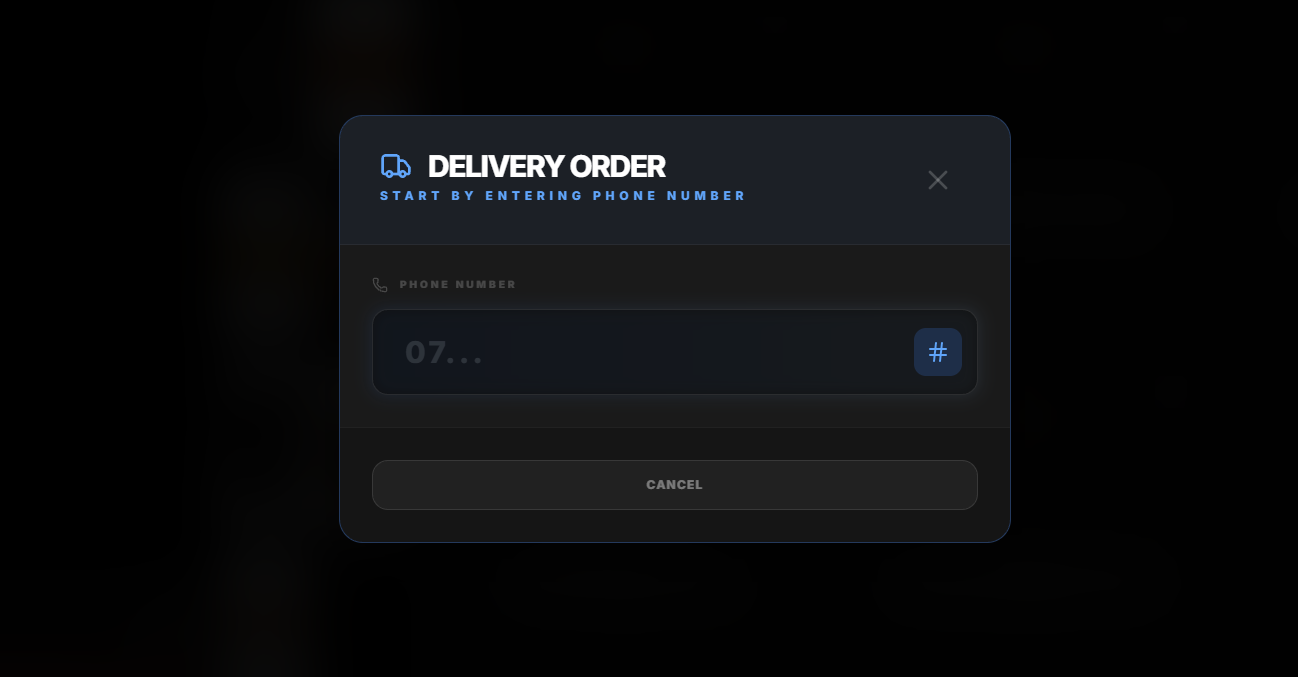
Phone number capture for delivery orders with customer history lookup.
Delivery Zone Management
Geographic zones, custom delivery fees, minimum order values, and estimated times.
Management & Settings
Visual Menu Builder
Drag-and-drop categories, images, modifiers, allergens, and availability controls.
Staff & Access Control
Role-based permissions, staff login tracking, and employee management.
5 Languages Built-In
English, Spanish, French, Italian, and Simplified Chinese — switch instantly.
Allergen Management
14 EU-standard allergens tagged per product with customer-facing alerts.
Sales Analytics
Revenue tracking, payment breakdowns, hourly summaries, and staff performance.
Third-Party Integrations
Hubrise, GloriaFood, Shipday delivery tracking, and more.
Plus Much More
18-page guide covering the till, kitchen display, kiosks, online ordering, delivery, AI phone ordering, Posso Pay, hardware and pricing
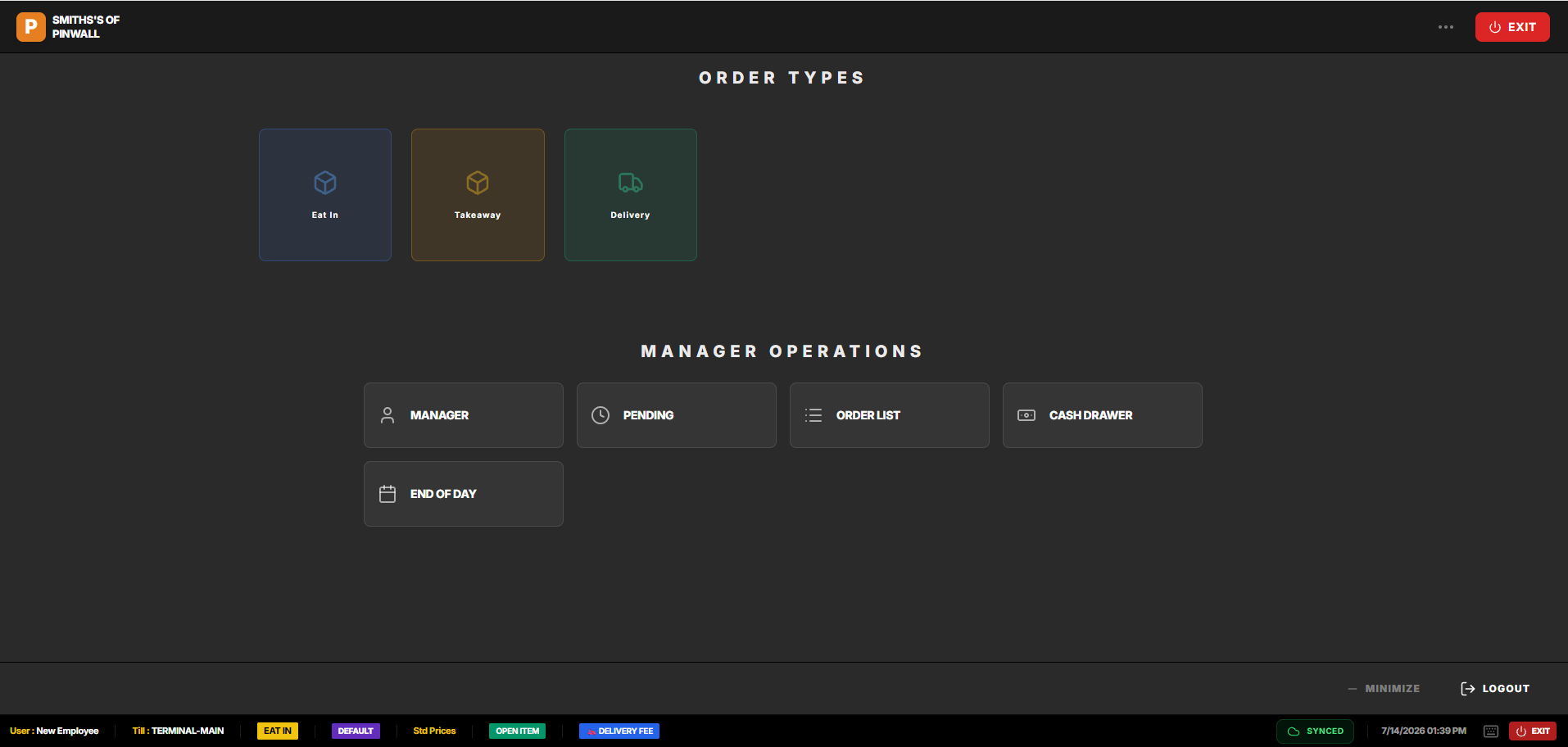
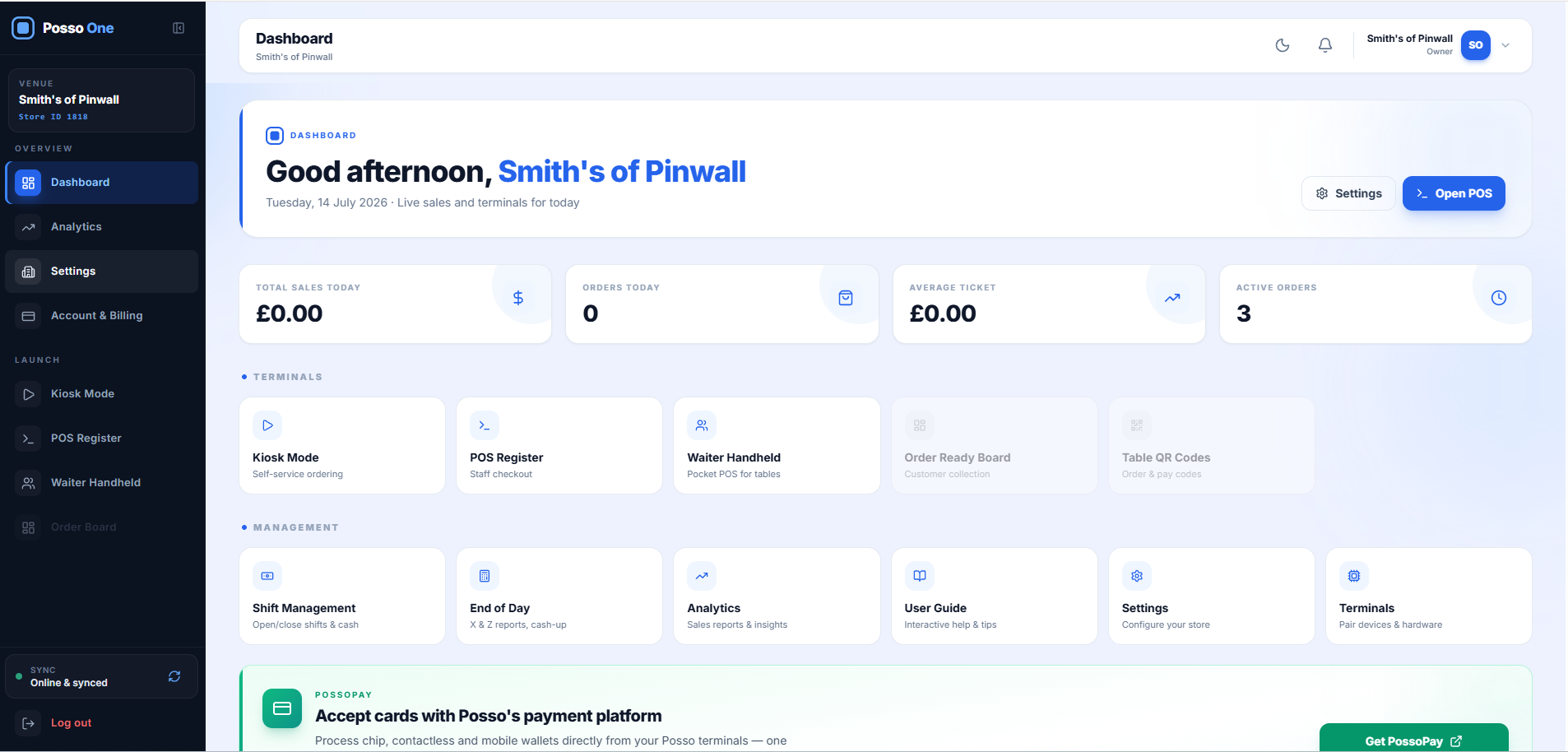
See the Posso One EPOS in Action
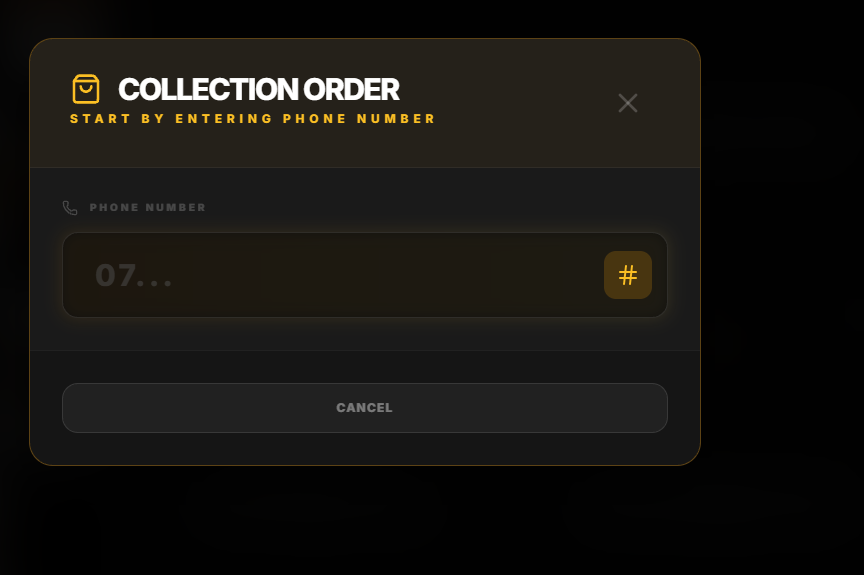
From the back-office dashboard to taking Eat In, Takeaway and Delivery orders on the till — a real look at the Posso One EPOS system.
Kitchen Display System (KDS)
A kitchen display system replaces paper tickets with live screens. Orders land the moment they are rung in — from the till, the kiosk, the QR code, your website or a delivery platform — and stay on screen until they are bumped.
For multi-section kitchens, tickets route by course or station, so the grill sees grill items and the fryer sees fryer items rather than every chef reading every docket. Where you would rather keep paper, the same routing works with multi-kitchen printed copies.
Self-Order Kiosks
Kiosk mode turns customer ordering over to the customer. It handles the queue at peak, it upsells consistently, and it takes the order exactly as the customer wants it, which cuts the error rate on modifiers.
Kiosks run the same menu as the till, so there is nothing separate to maintain, and orders go straight to the kitchen screen.
QR Table Ordering and Order-at-Table
Customers scan a code at the table, see the live menu with allergen information, order and pay from their own phone. Orders arrive against the correct table number, so service staff are not relaying.
It works alongside, not instead of, waiter service — most sites run QR for drinks and repeat rounds while keeping waiter ordering for food.
Online Ordering, Your Own Website and App
Posso online ordering runs on your own domain, taking collection and delivery orders that come into the same system as everything else. Hosting is free with Posso online ordering.
A full restaurant website with online booking is £450, or £750 for a build on a modern Next.js framework including SEO work and up to 30 blog pages. Web and app orders carry a 60p service fee added to the customer’s order — the store pays nothing beyond card processing fees.
AI Phone Ordering
Calls that ring out are orders lost. Posso’s AI phone ordering answers the phone when the line is busy or the counter is three deep, takes the order conversationally and drops it straight into the EPOS.
You get a free dedicated number to divert to or advertise, with free setup, at £1 per order taken.
Card Payments and Posso Pay
Posso Pay is our integrated card payment service. Terminals take contactless, chip and PIN, Apple Pay and Google Pay, and they are integrated with the till — the amount pushes across automatically, so there are no keying errors and no end-of-day mismatch between the till and the terminal.
Posso Pay pricing starts from a guide rate of 1% + 10p, and the same rate applies to in-store terminals and the online payment gateway — so you are not paying a premium to take payments online. Your actual rate depends on card mix and turnover, and we quote it as part of your consultation.
Teya and Dojo are also supported as card machine partners where a site already has a relationship in place.
Delivery, Drivers and Platform Integrations
Delivery-zone management with custom fees by area, driver assignment and a live driver app at 30p per delivery. Caller ID integration pulls up a returning customer’s address as the phone rings.
Just Eat, Uber Eats and Deliveroo integration is available as an add-on to any package at £45/month with unlimited orders, so platform orders land on the same kitchen screen as everything else instead of on three separate tablets.
Also integrates with HubRise, GloriaFood and Shipday.
Reporting, Analytics and Customer Marketing
Sales analytics by item, hour, channel and staff member, alongside X and Z reads for daily reconciliation.
The CMS is built in — customer data captured through ordering is retained and usable in Posso’s marketing suite free of charge, including 2,000 emails per month. SMS packages can be added.
Multi-Site and Multi-Location
Each location holds its own isolated data with central reporting across the group. Menus and prices can be managed centrally or set per site.
Multi-tenant support means groups, franchises and multi-academy trusts can run separate operations under one roof.
EPOS System Prices
Published, not quoted on request. Every package price below is for a single-screen POS.
| Item | From |
|---|---|
| POS system | £499 + VAT |
| Self-order kiosk (indoor) | £699 + VAT |
| Restaurant Full Service package | £899 + VAT |
| Fast Food Growth package | £1,250 + VAT |
| 21-inch kitchen display | £399 + VAT |
| Extra printer | £99 |
| Handheld waiter pad | £259 |
| Twin-screen upgrade | £150 |
| Software and support | From £25 + VAT a month |
Software is from £25 + VAT a month, covering the core system, software updates and cloud features, with your exact figure confirmed on your quote. UK-based support is included in that — there is no separate support tier to buy. Setup — menu building and equipment configuration — is free. Systems are plug-and-play with setup guidance; on-site installation for larger sites is priced on application.
Add-ons priced separately: delivery platform integration (Just Eat, Uber Eats, Deliveroo) at£45/month with unlimited orders, AI phone ordering at £1 per order, and driver-app delivery at30p per delivery. Every cost we charge is set out on the EPOS pricing page.
Is there such a thing as a free POS system?
Not really. A “free” POS system usually means free software, with the cost moved somewhere else — the hardware you have to buy, a card-processing rate you are tied to, or monthly fees for the features a hospitality business actually needs.
Hardware still costs money. Free software needs a tablet or terminal, a printer, a cash drawer and a card reader, and consumer tablets are not built for a hot, greasy counter.
The card rate pays for it. Many free plans are funded by card processing. That is a fair model at low volumes, but the percentage you pay on every transaction can outweigh a software fee as takings grow — and you may not be able to move processor.
The features you need are often paid add-ons. Kitchen screens, online ordering, delivery-platform integration and phone support are where free tiers tend to stop. Price the system you would actually run, not the free starting point.
Posso is not free: a POS system is £499 + VAT and software is from £25 + VAT a month, with card processing quoted on your turnover rather than required. Every figure is on the EPOS pricing page, and there is more on the trade-offs in our guide to free EPOS software.
EPOS for Your Type of Venue
Different operations need genuinely different setups — restaurants, takeaways, cafés and coffee shops, pizza shops, fish and chip shops, kebab shops, Chinese and Indian takeaways, pubs, bars, hotels and salons. Here is the guide for each.
Best Restaurant EPOS UK
2026 buyer’s guide & comparison
Learn moreRestaurant EPOS
Table service, courses & split bills
Learn moreTakeaway EPOS
Collection, delivery & online orders
Learn moreCafé & Coffee Shop POS
Peak-speed tills, drink modifiers & loyalty
Learn morePizza Shop POS
Half & half, toppings, delivery & what to look for
Learn moreFish & Chip Shop POS
Portions, prompts & peak-hour speed
Learn moreKebab Shop POS
Build sequence, extras & late-night trade
Learn moreChinese Takeaway POS
Dish numbers, long menus & set meals
Learn moreIndian Takeaway POS
Spice levels, banquets & sundries
Learn moreKitchen Display System
One queue, batching & station routing
Learn moreOpening a Takeaway
Week-by-week EPOS checklist
Learn moreDelivery Management POS
Own drivers, zones & dispatch
Learn moreMulti-Site EPOS
Central menus & group reporting
Learn moreReplacing an Old EPOS
What transfers & how to switch
Learn moreEpos Now Alternative
Costs & contracts compared
Learn morePosso vs Epos Now
Honest side-by-side comparison
Learn moreEPOS Pricing
Every cost, published
Learn morePub POS
Tabs, rounds & fast bar service
Learn moreBar EPOS
Rapid rounds & happy-hour pricing
Learn moreHotel EPOS
Room charging & multi-outlet
Learn moreSalon POS
Appointments, deposits & tips
Learn moreRetail POS
Barcodes, stock & variants — what to check
Learn moreSmall Business POS
Starter package, finance & payback
Learn morePOS Packages & Quotes
Every package price, itemised
Learn moreBuy or Lease an EPOS
Ownership, finance & total cost
Learn moreCloud EPOS
Manage every site from anywhere
Learn moreSelf-Order Kiosks
Self-service ordering that upsells
Learn moreWhat an EPOS Costs
Hardware, software, card fees & hidden extras
Learn moreCompare EPOS Systems
Cloud vs till, Android vs Windows, named providers
Learn moreSwitching EPOS
Signs, what transfers & installation
Learn moreCard Payments & Fees
How fees work, Posso Pay, Teya & Dojo
Learn moreProblems an EPOS Fixes
Missed calls, commission, no-shows, queues
Learn moreEPOS by City
Guides for London, Manchester, Birmingham & more
Learn moreEPOS System Cost UK
Every component priced, with market ranges
Learn morePub EPOS Guide
Tabs, rounds, day-part pricing & the garden
Learn moreFast Food EPOS
Kiosks, production totals & speed
Learn moreSmall Restaurant EPOS
20–50 covers: what to buy, what to skip
Learn moreSwitching from an Older Till or EPOS System
Most sites that call us are not buying their first system — they are replacing one that is out of support, locked to a card processor, or quoting a renewal they do not want to sign.
What switching actually involves: we build your menu for you as part of free setup, so you are not re-keying hundreds of items. Systems arrive preconfigured. Where you are mid-contract with a card processor, Posso can run with your existing Teya or Dojo terminal until that ends.
What comes across, and what does not. Your customer database does — names, addresses, order history and marketing contacts can be brought into Posso’s built-in CMS, so you do not lose the list you have spent years building. Historic sales data does not: reporting starts fresh from go-live. In practice that is worth knowing in advance rather than discovering in January — most sites export a final set of reports from the old system before switching and keep them for year-end.
How to Compare UK EPOS Systems
Worth checking, on any quote you are given — including ours.
- Does it work offline?
- A cloud-only system stops taking orders when the broadband does.
- Is the card processing locked in?
- Some EPOS contracts tie you to one acquirer at a rate you cannot renegotiate.
- What is the real monthly cost?
- Add the software, the support, the integrations and the per-order fees together, not just the headline.
- Who answers the phone at 8pm on a Saturday?
- Check the support hours against your trading hours, and check where the team is based.
- Is the hardware yours?
- Rented hardware on a long lease usually costs more over the term than buying.
- What does leaving look like?
- Contract length, notice period and whether you keep your own customer data.
Compare Posso with other POS systems
Each comparison sets out what is included, how it is priced and who each system suits better — including where the other provider is the better choice.
Compliance: VAT, Making Tax Digital and PCI DSS
A UK POS system has to record the right VAT on every item, produce X and Z reports, keep sales records you can hand to your accountant or VAT software, and take card payments in a way that keeps you within PCI DSS. Those four are the baseline; check each before you buy.
VAT-coded items. Each product needs the right VAT treatment — in hospitality, hot takeaway food is standard-rated while much cold takeaway food is zero-rated, and eat-in and takeaway can differ for the same item. Ask how the system applies VAT per item and per order type, and how a rate change is rolled out. Posso's menu management includes tax configuration.
X and Z reports. An X report shows takings so far without closing the day; a Z report closes the day and is your end-of-day record. Posso produces both for daily reconciliation.
Exportable records for Making Tax Digital. VAT-registered businesses keep digital records and file VAT returns through MTD-compatible software, and Making Tax Digital for Income Tax is being phased in for sole traders and landlords. A POS system is not usually the MTD software itself, so what matters is that its sales and VAT data get into your accounts without re-keying. Posso syncs sales, payment methods and VAT to Xero.
PCI-compliant card handling. PCI DSS is the card industry's security standard. The simplest way to stay in scope is for card details never to touch the till: the till sends the amount to the card terminal, and the terminal and payment provider handle the card. Ask any supplier how card data flows and who is responsible for PCI compliance. Posso Pay terminals are integrated this way — the till sends the amount, the terminal takes the payment.
“My Posso POS system is a game changer — my restaurant runs more smoothly now thanks to Posso One and the team. A big thank you.”
Sally · 4.5/5
Frequently Asked Questions
What does EPOS stand for?
Electronic Point of Sale. It is the UK term for a point-of-sale system — a touchscreen till connected to software that records sales, sends orders to the kitchen and reports on trading.
What is the difference between EPOS and POS?
None in practice. POS is the international term and EPOS is the UK one. Both describe the same system.
Does a Posso EPOS system work without internet?
Yes. The system is offline-first and runs on a local database on the terminal, so the till, kitchen screens and printers keep working if the connection drops. Everything syncs automatically when the connection returns.
What order types does it handle?
Counter, takeaway, collection, delivery and dine-in, plus kiosk, QR, website, app, AI phone ordering and the delivery platforms.
Can bills be split at the table?
Yes — by headcount, by item, or by custom amounts.
Which card machines work with a Posso EPOS system?
Posso Pay is our integrated payment service. Teya and Dojo terminals are also supported.
Can a Posso EPOS system run more than one location?
Yes. Each site keeps isolated data with central reporting across the group.
How much does an EPOS system cost in the UK?
Posso POS systems start at £499 plus VAT and self-order kiosks at £699 plus VAT, with package prices for single-screen setups. Software is from £25 + VAT a month, with your exact figure confirmed on your quote. Setup is free; on-site installation for larger sites is priced on application.
Is support included, or extra?
Included. The monthly software fee, from £25 + VAT, covers the core system, software updates and cloud features, and UK-based support comes with it — there is no separate support tier to buy.
Can I move my data over from my old EPOS system?
Your customer database can be brought across, including names, addresses, order history and marketing contacts, into Posso’s built-in CMS. Historic sales data does not transfer, so reporting starts fresh from go-live. Export a final set of reports from your old system before you switch.
What card processing rate does Posso Pay charge?
Posso Pay starts from a guide rate of 1% + 10p, and the same rate applies to in-store terminals and the online payment gateway. Your actual rate depends on card mix and turnover and is confirmed at consultation.
Is there a warranty?
Yes — two years on the systems.
How long does it take to get running?
Systems are preconfigured and shipped plug-and-play. Your menu is built for you during free setup.
What is the best POS system for a small business in the UK?
The best one is the system that fits your trade: quick for staff to learn, keeps working offline, integrates your card payments and has a monthly cost you know in advance. A market stall that only takes payments may need nothing more than a card reader; a food business taking orders from the counter, phone, kiosk and delivery apps is better served by a hospitality EPOS that puts them all in one kitchen queue.
Can I lease a POS system?
Yes — most UK providers offer lease or finance options, but leasing usually costs more over the term than buying, and the hardware may not be yours at the end. Posso hardware can be bought outright from £499 + VAT or spread on finance from £24.92 a week over 12, 24 or 36 months, subject to status.
How long are POS contracts?
It varies widely between providers, from rolling monthly agreements to multi-year minimum terms with early-termination fees. Ask every provider for the minimum term, the notice period, whether it auto-renews and the cost of leaving early, in writing. Posso sets out its terms on your quote.
Is a POS system tax deductible?
For a trading business, POS hardware and software are generally allowable business costs, but whether you buy, finance or lease changes how they are treated. Tax depends on your circumstances, so check with your accountant before you choose.
Talk to someone who runs these systems every day
Book a free consultation and we will build your menu, configure the equipment and ship it plug-and-play — with two years of warranty and UK-based support included.
Mon–Fri, 9am–9:30pm
Get Your Free ePOS Demo Today
See how Posso can transform your restaurant or venue. Book a free, no-obligation consultation with our team and get a personalised demo of our ePOS systems, self-order kiosks, and more.
Free call — available Monday to Friday, 9am–9:30pm. Or email us anytime at info@posso.co.uk